Line numbering
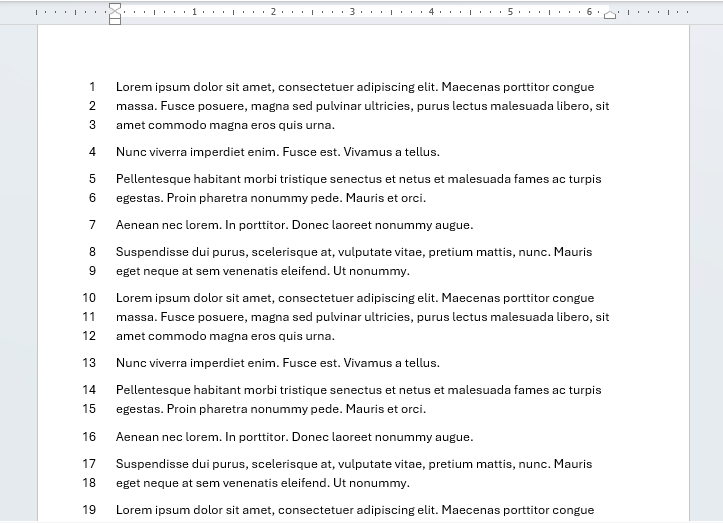
Line numbers have several uses, in legal documents, contracts, transcripts and screenplays to name a few. Numbers are given to each line in the left margin.
How to insert line numbers
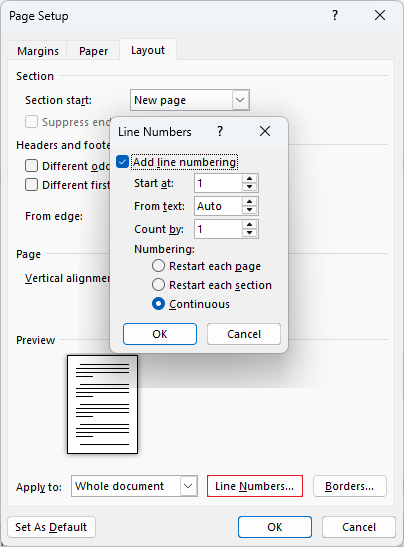
To insert line numbers, on the ribbon go to Layout > Page Set-up > Line numbers > Continuous:
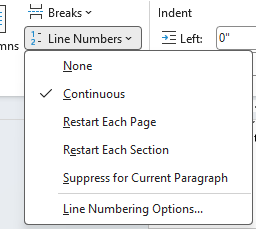
The other options let you edit how the line numbers are applied within the document.
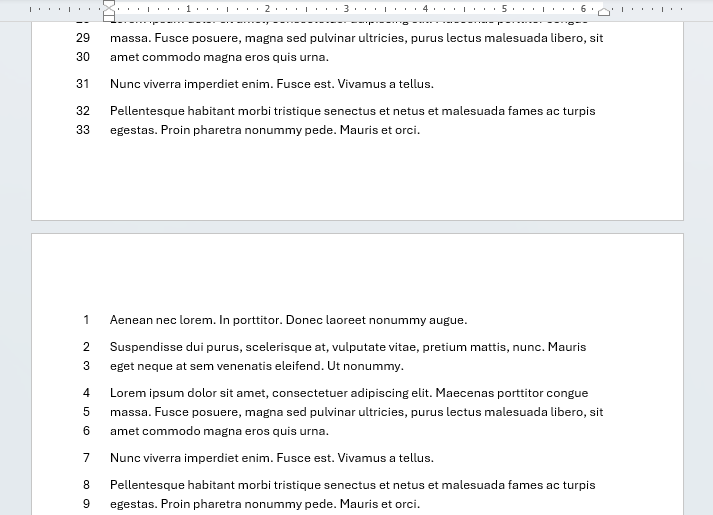
Restart Each Page
This will make line numbers restart at '1' at the beginning of each page should you need it.
Restart Each Section
Same as above except applied to sections in your document rather than pages. You'll need to have section breaks set up which are explored in this article: Section breaks.
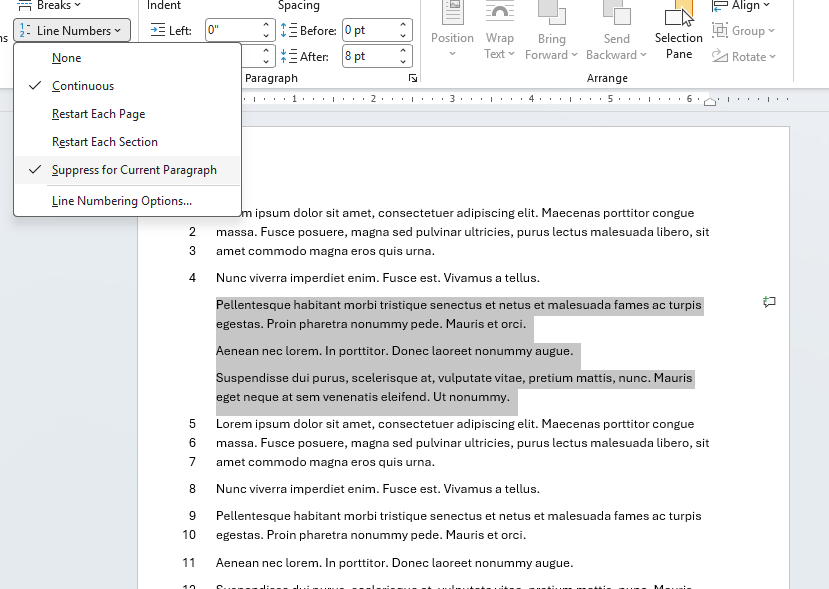
Suppress for Current Paragraph
This option lets you leave a gap in the line numbers for a selected paragraph(s). Select the paragraph(s) first then select this option and the line numbers besides it will disappear and continue on lines after it.
Line Numbering Options...
Advanced options are found this way. Clicking Line Numbering Options... will bring up the Page Setup Options dialog. Select the Line numbers button at the bottom and the advanced line number options appear.
Hover over the red dots for what each option does.
Found this useful? Share it with others.