Autosave issues
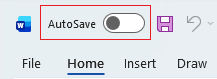
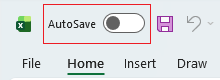
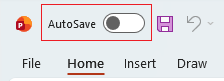
I don't see the Autosave toggle
The Autosave toggle only appears in apps if you have Microsoft Office 365 subscription. If you have a standalone one-time subscription like Microsoft Office 2021 or a single app like Word 2019 this isn't available.
If you're using Office apps on your mobile or the free online version like Word online then your work is autosaved as you edit so you don't need a toggle.
Autosave isn't working for my file
Autosave has to save to either OneDrive or SharePoint, these are cloud-based apps meaning they're stored online. So you can't use them if you're only saving locally (on your computer).
For Autosave to work the filepath you save to should look like this:
- OneDrive: C:\Users\YourUserID\OneDrive\Presentation.pptx
- SharePoint: https://yourcompany.sharepoint.com/sites/TeamName/Shared Documents/Presentation.pptx
If you're saving locally (i.e. to your computer) with a filepath like this Autosave won't work:
- C:\Users\YourUserID\Desktop
Found this useful? Share it with others.