About us
Digital literacy isn’t just knowing which buttons to press — it’s understanding the system, navigating it with confidence, and helping others do the same. Digital skills should be empowering, ethical, and open to everyone.
Where most help sites don't explain why, video tutorials are too long, and paid lessons are too expensive, this site aims to explain everything you need to know, no paywalls, no filler, no boundaries.
Ctrl All is built by an open-source advocate who believes in clarity, confidence, and control. This space empowers anyone — whether you're new to Microsoft Office or an experienced user — to get unstuck or to go one step further.
Get Started
Difficulty
In the menu for some articles you'll also have a choice of Beginner and Intermediate difficulty levels:
- If you're a beginner who's new to everything this site is set up for beginners by default.

- If you are familiar with Office apps and understand some basic terminology then switch to the Intermediate setting for more advanced content.
 Note: Some topics are Intermediate level only as the content is too advanced for beginners. You'll see the Beginner option greyed out:

Language
Language on this site is optimised between US-English and non-US English. Use the toggle on the top bar if you want to switch between US and UK/CA/AU/NZ English. By default this will be based on your web browser settings.
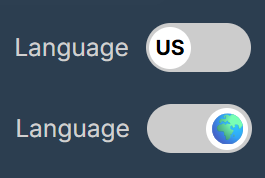
Note: The options and labels found in the Microsoft Office remain in US english by default to reflect the programs accurately.
Let's go
- Browse a topic from the side menu. You can expand or collapse the side menu by clicking the toggle in the top left corner:

- Request a topic for an article
- Got a Tip? Share what you know.
Find us on social media


Copyright & Licensing
All content is © Ctrl All 2025. Educational use is encouraged with attribution. For other uses — including commercial, derivative, or syndication — please get in touch.
About Ads
Ctrl All may include ads to help cover hosting costs and support the creation of free educational content. We aim to keep ads minimal, relevant, and never intrusive. This site is built on trust, not tracking — and we’ll never sell your data or compromise your experience for clicks. For more please view our Privacy Policy.
Privacy Policy
View our Privacy Policy.